


Five Manual Workarounds Law Firms Should Retire in 2026

Many law firms have already invested in modern technology platforms such as Elite 3E, ProLaw, and Intapp.
What’s harder to see is what still happens around those systems. The spreadsheet that reconciles two platforms every Friday. The email thread standing in for a real approval workflow. The manual double-check nobody will give up because they don’t fully trust the automated one.
None of that shows up in a technology audit. It shows up in delayed invoices, conflicts checks that don’t quite match across teams, and a managing partner who keeps their own numbers on the side because the official report never lines up.
A recent State of Legal benchmarking report backs this up. Most lawyers now use AI somewhere in their work, yet most still describe a significant share of their day as manual, with workflows that involve more steps than they should (Progress Software’s State of Legal 2026 report).
Firms have invested in better platforms. They just haven’t always retired the habits built around the old ones.
Why These Workarounds Survive Even Strong Technology Investment
Legal operations teams are managing more disconnected systems than ever, and a recent survey of legal operations executives found that most say their technology stack is still not adequately integrated with one another (Tonkean’s State of the Legal Operations Tech Stack survey). When systems do not talk to each other cleanly, people fill the gap. That is a rational short-term response. The problem is that manual bridges tend to outlive the reason they were built, quietly becoming “how we’ve always done it” long after a proper integration would have closed the gap for good.
Here are five common manual workarounds that can persist inside law firms running modern platforms.
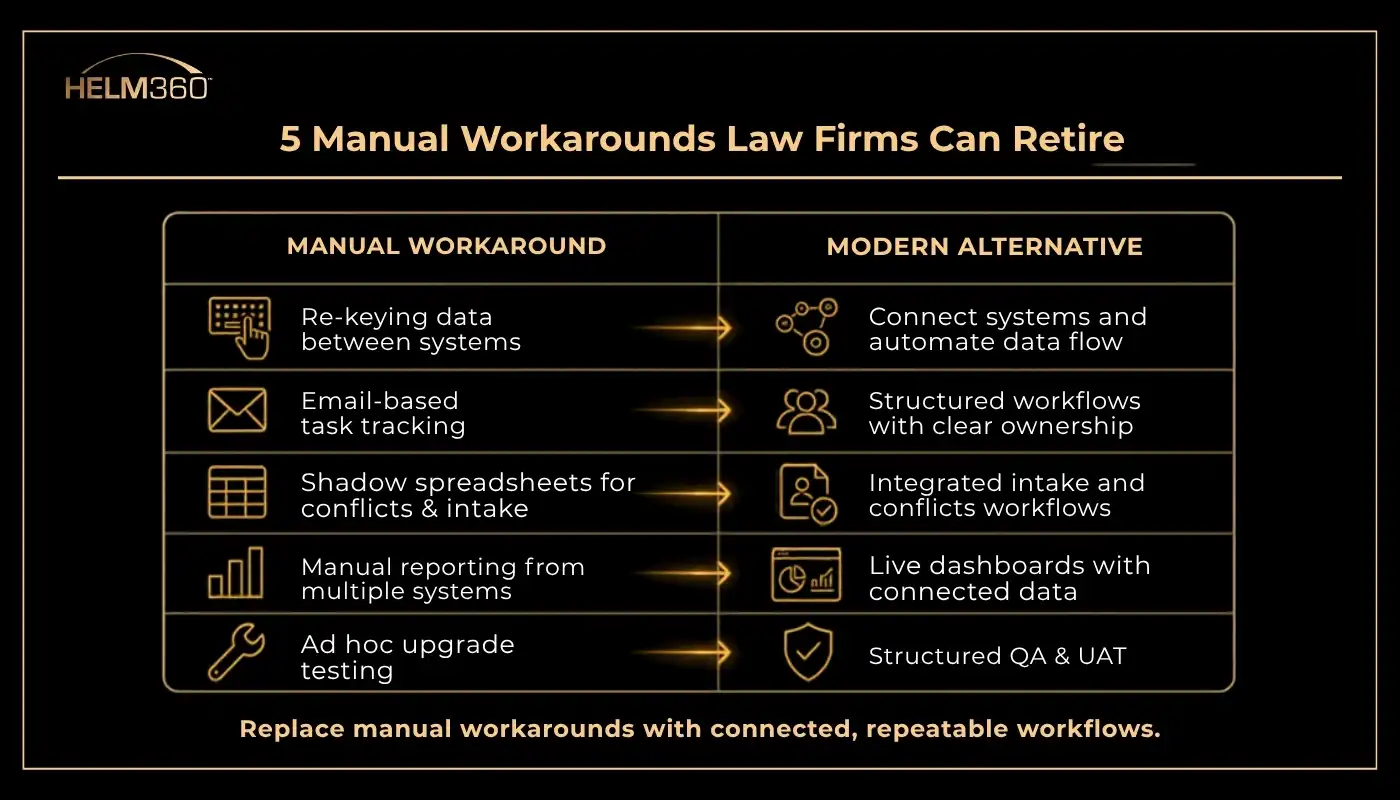
1. Re-Keying Data Between Practice Management and Billing Systems
When Elite 3E, ProLaw, or Aderant is not fully connected to intake, time, or expense systems, someone ends up retyping matter numbers, client codes, or rate information more than once. It is slow, and every re-entry point is a place where a typo can quietly break downstream reporting.
- Retire it by: Mapping every point where the same data is entered twice and closing that gap through direct system integration rather than a patchwork of exports and imports.
- What good looks like: An approved matter flows into billing automatically, with no one re-typing what has already been captured once.
2. Using Email as the System of Record for Task Tracking
Email remains widely used for task and project management across the legal profession, with one survey finding that more than three in four lawyers use it as their primary tool for tracking tasks and deadlines(Dashboard Legal survey, cited by Bloomberg Law). Email is excellent for communication. It is a poor system for accountability, since nothing forces a status update and nothing surfaces what has quietly stalled.
- Retire it by: Routing recurring workflows, such as conflicts approvals, billing exceptions, or onboarding tasks, through a structured system that timestamps status and ownership.
- What good looks like: Anyone on the team can see where a task stands without searching an inbox for the last reply.
3. Manual Cross-Checking Between Intake, Conflicts, and Practice Management
When Intapp is not tightly connected to the firm’s practice and financial management platform, conflicts and intake teams often keep a shadow spreadsheet to cross-check what should already be flowing between systems. It is a reasonable safeguard when integration is incomplete, and it is also a sign that the underlying connection needs attention rather than a permanent workaround.
- Retire it by: Building direct integration between Intapp intake and conflicts and the firm’s Elite 3E, ProLaw, or Aderant environment, so an approved matter opens once, in one place.
- What good looks like: Conflicts and intake decisions are traceable, auditable, and consistent across every practice group, not dependent on one person’s spreadsheet discipline.
4. Spreadsheet-Built Reporting Instead of Live Dashboards
Monthly or quarterly reports pulled manually from multiple systems are slow to build, quickly outdated, and prone to the kind of small errors that erode confidence in the numbers. They also mean firm leadership is often making decisions on data that is already weeks old by the time it reaches them.
- Retire it by: Connecting practice management, billing, and CRM data into a live reporting layer that updates automatically instead of on a manual export schedule.
- What good looks like: Partners and finance leadership look at the same real-time numbers, rather than reconciling two versions of the truth after the fact.
5. Manual, Ad Hoc Testing During Upgrades and Migrations
When a firm upgrades Elite 3E, moves ProLaw to the cloud, or rolls out new Intapp functionality, testing customizations by hand is slow and easy to under-scope. Gaps found after go-live tend to surface exactly where they hurt most, in billing accuracy or client-facing workflows.
- Retire it by: Using a structured QA and user acceptance testing process, supported by a tested case library and automated regression testing, before any upgrade goes live.
- What good looks like: Customizations are verified systematically ahead of go-live, not discovered by end users after the fact.
What Replacing These Workarounds Looks Like in Practice
Retiring a manual workaround rarely means replacing one tool with another. It usually means closing a connectivity gap between systems the firm already owns. Firms report that automating manual tasks is now among the top motivators behind technology investment decisions, alongside maintaining consistent work quality (Bloomberg Law, 2026), which suggests this is less about adopting something new and more about finishing what was already started.
The average law firm also increased its technology investment meaningfully over the past year (Thomson Reuters’ 2026 Report on the State of the US Legal Market), which makes this a reasonable moment to ask a harder question: is the gap in the platform, or in what still happens around it?
Building a Realistic Retirement Plan
Retiring a manual workaround does not have to mean a full platform overhaul. A practical approach usually looks like this:
- Map the workaround, not just the symptom. Ask why the manual step exists before assuming it is simply a training gap.
- Prioritize by risk, not by annoyance. A billing re-entry error is a bigger risk than a slow report, even if the report is the louder complaint.
- Close the integration gap directly. Connect the systems already in place, such as Elite 3E, ProLaw, Aderant, and Intapp, rather than layering another standalone tool on top.
- Test before go-live, not after. Structured QA and UAT catch what manual spot-checking misses.
- Review again in six months. Workarounds tend to creep back in once the initial fix loses attention.
Where to Go From Here
None of the five workarounds above are a sign that a firm’s technology choices were wrong. They are usually a sign that implementation stopped a step short of where it needed to go. Closing that last step is often less disruptive than it sounds, and it can deliver benefits through fewer billing errors, faster reporting, and less time spent reconciling numbers that should have matched in the first place.
If any of these five sound familiar, Helm360’s consulting and integration services can help map where the gaps sit across Elite 3E, ProLaw, and Intapp, and our Quality Assurance & User Acceptance Testing services can make sure the fix holds up before it reaches your end users.
Frequently Asked Questions
Q1: What counts as a "manual workaround" in a law firm's technology stack?
It is any manual step, spreadsheet, or shadow process that exists to bridge a gap between systems, rather than a step that is genuinely part of legal work itself.
Q2: Why do manual workarounds persist even after firms invest in Elite 3E, ProLaw, Aderant, or Intapp?
Because these platforms often are not fully connected to each other. When integration is incomplete, staff build manual bridges to keep work moving, and those bridges tend to stay in place long after they were meant to be temporary.
Q3: How can a firm tell if a manual workaround is actually a risk, and not just an inconvenience?
Ask what happens if the person who does it manually is unavailable, and whether the same data is entered more than once. Both are signs the workaround carries more risk than it appears to.
Q4: Does retiring manual workarounds require replacing existing platforms?
Usually not. Most of the workarounds described here are solved by integrating systems the firm already owns, not by purchasing new ones.
Q5: How does Helm360 help firms identify where these gaps exist?
Helm360 works across Elite 3E, ProLaw, Aderant, and Intapp environments to map where data and workflows break down between systems, then builds the integration and testing needed to close those gaps.
Q6: What role does QA and user acceptance testing play in reducing manual work long-term?
Structured testing during upgrades catches customization gaps before go-live, which is what usually forces teams back into manual, ad hoc checking after the fact.
Q7: Is this primarily an IT problem, or an operations problem?
Both. The technical fix is usually integration work, but deciding which workarounds to prioritize is an operational and risk-management decision that should involve legal operations leadership, not IT alone.
Q8: How often should a firm review its manual workarounds?
At least every six months, and after any major system upgrade or migration, since new workarounds tend to form quietly during periods of change.